Your viewers play Roblox with you
Jumps, walks, sprints and dashes, camera spins and zooms, dances and emotes, tools, attacks, skills and ultimates, resets and the pause menu: the game’s own keys, pressed while Roblox is in front.
✓ Ready-made preset: Rose to Lion
How a gift reaches Roblox
From a viewer’s phone to your game in about a second, with the viewer’s name on it.
- Your LIVETikTok LIVE, Twitch, Kick or YouTube
- CheerQuakeOn your PC: it reads the gift and runs your action
- No mod: Roblox’s own keysPressed only while Roblox is in front
- RobloxIt happens on your screen
Ready-made presets for 7 Roblox games
Each one uses its game’s own moves and skills, from a Rose to a Lion. CheerQuake opens the game in Roblox for you in one click.
-
Roblox: any game
Works in every Roblox game: jumps, walks, dances and emotes, camera spins and zooms, and the Lion resets your character.
Any Roblox game
-
Roblox: obbies and towers
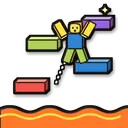
Made for Tower of Hell and works in any obby: viewers help you with jumps, then make the climb hard with walks back, wild runs and spins, and the Lion sends you back to the start.
-
Roblox: The Strongest Battlegrounds
Viewers fight for you: punches, your four moves, dashes and blocks, and the awakening on big gifts. Then they spin your camera and make you run wild, and the Lion resets you.
-
Roblox: Blox Fruits
Viewers use your fruit’s and weapon’s moves (Z, X, C, V, F), your Haki, flash step and race ability, then send you running and spinning, and the Lion resets you.
-
Roblox: RIVALS
Viewers shoot and reload for you, switch your weapons, make you jump and look back in the middle of a duel, spin your camera and open the menu at the worst moment.
-
Roblox: DOORS
Viewers help you sprint and hide, then make you look back, crouch at the worst moment, drop your item, walk the wrong way and freeze in the menu while the monsters come.
-
Roblox: Murder Mystery 2
Viewers take out your knife or gun, make you strike, shoot or throw, then make you dance, look back and run around while everyone watches.
-
Roblox: 99 Nights in the Forest
Viewers chop and fight for you, help you sprint and pick things up, then open the map, make you look back into the dark woods and run around at night.
Everything your viewers can do
28 commands, each with its own hand-drawn picture. Put any of them on any gift, follow, like or chat command.
Showing 28 of 28
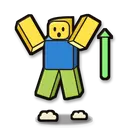
Jump
Jumps (Space), as many times as you like.
Fun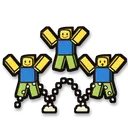
Bunny hop
Jumps again and again for a while.
Fun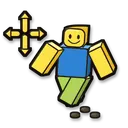
Walk
Walks forward, back, left or right for a while (W, S, A, D).
Makes it harder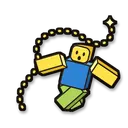
Run around
Runs this way and that way at random for a while.
Makes it harder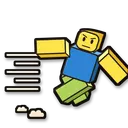
Sprint
Sprints forward (Shift and W) in games where Shift runs.
Fun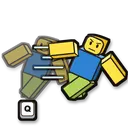
Dash
The game’s dash or dodge key (Q in many fighting games).
Fun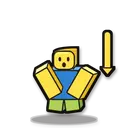
Crouch
Crouches or slides for a while (C or Ctrl, by game).
Makes it harder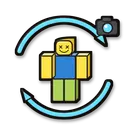
Spin the camera
Turns the camera round and round (the arrow keys).
Makes it harder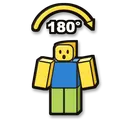
Look back
Turns the camera about half way round, so you look behind you.
Makes it harder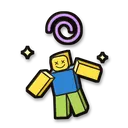
Dizzy camera
The camera wobbles left and right for a while.
Makes it harder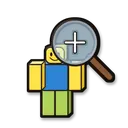
Zoom in
Zooms the camera all the way in (the mouse wheel), into first person in most games.
Fun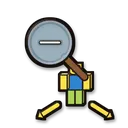
Zoom out
Zooms the camera far out (the mouse wheel).
Fun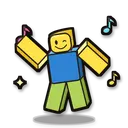
Dance
Your character dances (Roblox’s /e dance in the chat).
Fun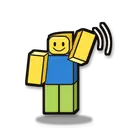
Emote
Waves, points, cheers or laughs (Roblox’s /e emotes in the chat).
Fun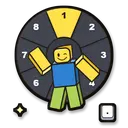
Emote from the wheel
Plays an emote from your emote wheel (the period key, then its slot). Works even where the chat is off; the emotes are the ones on your wheel (Roblox → Avatar → Emotes).
Fun
Say in the chat
Says your words in the game’s chat. Roblox filters what you say, like everything typed in its chat.
Fun
Take out a tool
Takes out the tool or weapon in a slot of your hotbar (1 to 9, 0).
Fun
Drop the tool
Drops the tool in your hand (Backspace), in games that let tools drop.
Makes it harder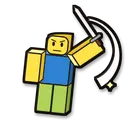
Attack
Clicks: swings or uses what is in your hand, as many times as you like.
Fun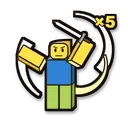
Attack frenzy
Clicks again and again for a while.
Fun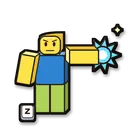
Use a skill
Presses a skill or move key of your game (Z, X, C, V, F, 1–4…).
Fun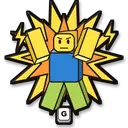
Ultimate
Your game’s biggest move (G in many fighting games).
Fun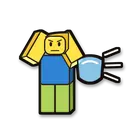
Block attacks
Holds the block key for a while (F in many fighting games).
Helps you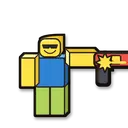
Shoot
Fires the weapon in your hand for a while.
Fun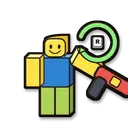
Reload
Reloads (R), even in the middle of a fight.
Makes it harder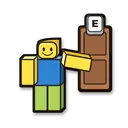
Use (E)
Presses or holds the use key (E): open doors, pick up, talk, hide…
Fun
Reset character
Resets your character (Esc, R, Enter): you start again from your spawn or last checkpoint.
Makes it harder
Pause menu
Opens Roblox’s menu for a while (Esc), then closes it. Your character stands still meanwhile.
Makes it harder
No command matches. Try another word.
Ready in 4 steps
No code, no files to copy: CheerQuake does it for you.
- 1
Install CheerQuake
Free to start, for Windows 10 and 11.
- 2
Open Games → Roblox
CheerQuake finds Roblox by itself: nothing to install.
- 3
Choose your Roblox game
Each one has its own ready-made preset, and Open in Roblox starts it.
- 4
Go LIVE
Keep the Roblox window in front: your viewers’ gifts press its keys.
Good to know
- Nothing is installed and nothing is added to Roblox or to any game in it: CheerQuake presses Roblox’s own keys, like a second keyboard.
- Keys go only into Roblox: a command waits for the Roblox window and stops the moment another window comes in front.
- Emotes from your emote wheel work in every game; dances typed in the chat need the game’s chat on.
What you need
- System
- Windows 10 or 11 (64-bit)
- Game
- Roblox on PC (free)
- App
- CheerQuake (free to start)
- LIVE
- TikTok LIVE Studio (LIVE access), Twitch, Kick or YouTube
Questions about Roblox
Is it free?
CheerQuake is free to start, and so is Roblox.
Does CheerQuake change Roblox?
No. Nothing is installed and nothing is added to Roblox or to the game: CheerQuake only presses keys while the Roblox window is in front, like a second keyboard.
What if another window is in front?
Then nothing is pressed: a command waits a few seconds for the Roblox window, and stops the moment another window comes in front, so keys never land in your chat or your streaming app.
Can I choose what each gift does?
Yes. Any command can go on any gift, follow, share, like or chat command. The ready-made preset is just a start.
Does it work with Twitch, Kick and YouTube?
Yes. CheerQuake counts Bits, Kicks and Super Chats like TikTok coins (1 Bit or 1 Kick = 1 coin, a $1 Super Chat = 100 coins), so the same actions run for all of them, at the same time.