
Rail Rush
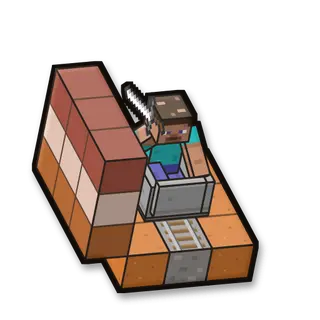
Ride a minecart through a canyon to the station. Mobs viewers send stand on the rails and stop your cart: fight them off to keep rolling. Every mob you beat gives you food.
How to play
Your cart rolls by itself. When a mob blocks the rails, hit it with your sword from the cart. You get hungry here: eat the food the mobs give you.
Goal
Reach the station at the end of the rails (150 blocks).
Your kit
A sharp iron sword, a shield, iron armour and twice the health. Every mob you beat puts food in your inventory.
In the game
- Start the game: Saves your inventory and where you are, builds the arena fresh, gives you the game’s items and takes you there.
- Stop the game: Gives you everything back and takes you back to where you were. The arena stays for next time.
- New ride from the start: A new round: the arena as new, and you back at the start with full items.
- Items again: Gives you the game’s items again.
- Back into the arena: Takes you to the start of the arena, if you wandered off.
- Remove the arena: Stops the game and takes the arena away. Your own world isn’t touched.
Everything your viewers can do
23 commands, each with its own hand-drawn picture. Put any of them on any gift, follow, like or chat command.
Showing 23 of 23
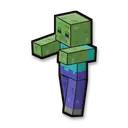
Zombie
Zombies with the viewer’s name stand on the rails ahead.
Makes it harder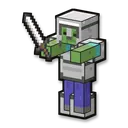
Armored zombie
Zombies in iron armour block the rails.
Makes it harder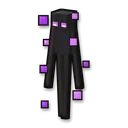
Enderman
An angry enderman stands on the rails.
Makes it harder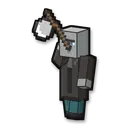
Vindicator
Vindicators with axes wait on the rails.
Makes it harder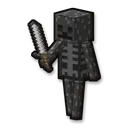
Wither skeleton
Wither skeletons block the rails.
Makes it harder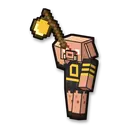
Piglin brute
A brute with a golden axe (a zombified piglin before Minecraft 1.16).
Makes it harder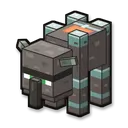
Ravager
A ravager stands on the rails (a zombie before Minecraft 1.14).
Makes it harder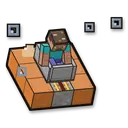
Slow cart
Your cart rolls slowly for some seconds.
Makes it harder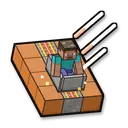
Fast cart
Your cart rolls fast for some seconds.
Helps you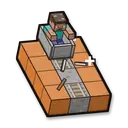
Broken rails
A gap in the rails ahead stops your cart until it’s fixed (5 seconds).
Makes it harder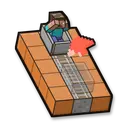
Back
Your cart is sent back some blocks.
Makes it harder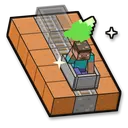
Forward
Your cart jumps ahead some blocks.
Helps you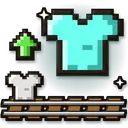
Better armour
Your armour goes up one level: iron, then diamond, then netherite (diamond is the best before Minecraft 1.16).
Helps you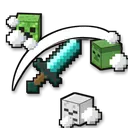
Remove the mobs
Every mob that viewers sent disappears.
Helps you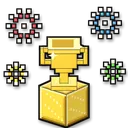
Instant win
You win the round right away: the win counts, and a new round starts after 5 seconds.
Helps you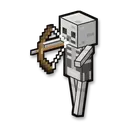
Spawn a skeleton
Makes it harder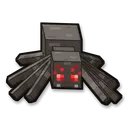
Spawn a spider
Makes it harder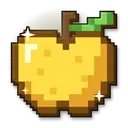
Give a golden apple
Helps you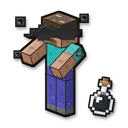
Blindness
Makes it harder
Make it night
Fun
Regeneration
Helps you
Spawn a witch
Makes it harder
Thunderstorm
Fun
No command matches. Try another word.
Ready in 4 steps
No code, no files to copy: CheerQuake does it for you.
- 1
Install CheerQuake
Free to start, for Windows 10 and 11.
- 2
Open Games → Minecraft
CheerQuake sets up your own server for you.
- 3
Install Rail Rush
One click, then Start in the game’s panel.
- 4
Load its preset and go LIVE
A ready-made gift list from a Rose to a Lion.
Good to know
- Java Edition, on a server on your own PC: CheerQuake downloads Paper and Java for you.
- Each mini-game works from Minecraft 1.12 to the newest version.
- Arena mini-games save your items and place before they start and give them back at the end.
What you need
- System
- Windows 10 or 11 (64-bit)
- Game
- Minecraft: Java Edition (1.12 to the newest)
- App
- CheerQuake (free to start)
- LIVE
- TikTok LIVE Studio (LIVE access), Twitch, Kick or YouTube