
Ladder
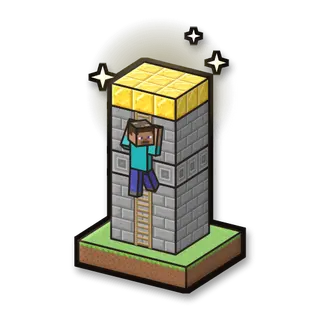
Climb a ladder up a very tall tower to the gold at the top. Viewers knock you down, make the tower taller and send phantoms; helpers boost you up and give you wings.
How to play
Walk into the ladder to climb it. Falling doesn’t hurt: just climb again.
Goal
Stand on the gold at the top of the tower.
Your kit
Nothing: just your hands.
In the game
- Start the game: Saves your inventory and where you are, builds the arena fresh, gives you the game’s items and takes you there.
- Stop the game: Gives you everything back and takes you back to where you were. The arena stays for next time.
- New round from the bottom: A new round: the arena as new, and you back at the start with full items.
- Items again: Gives you the game’s items again.
- Back into the arena: Takes you to the start of the arena, if you wandered off.
- Remove the arena: Stops the game and takes the arena away. Your own world isn’t touched.
Everything your viewers can do
22 commands, each with its own hand-drawn picture. Put any of them on any gift, follow, like or chat command.
Showing 22 of 22
Slide down
You slide some blocks down the ladder.
Makes it harder
Climb up
You jump some blocks up the ladder.
Helps you
Taller tower
The tower grows some blocks.
Makes it harder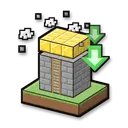
Shorter tower
The tower shrinks some blocks.
Helps you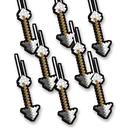
Arrows
Arrows fly at you from the side to knock you off.
Makes it harder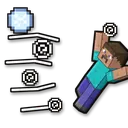
Wind
A gust blows you off the ladder.
Makes it harder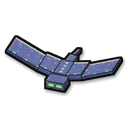
Phantom
Phantoms come after you and swoop at you while you climb (vexes before Minecraft 1.13).
Makes it harder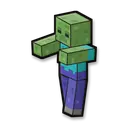
Zombie on a ledge
A zombie waits for you on a ledge a little higher up. The ledge crumbles after 8 seconds.
Makes it harder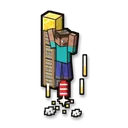
Rocket boost
A rocket launches you up: grab the ladder!
Helps you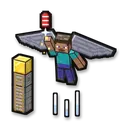
Wings
Wings (an elytra) and rockets for 15 seconds.
Helps you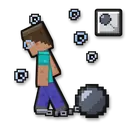
Slowness
You move slowly for some seconds.
Makes it harder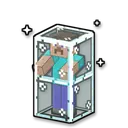
Glass prison
You are shut in glass for some seconds.
Makes it harder
Remove the mobs
Every mob that viewers sent disappears.
Helps you
Instant win
You win the round right away: the win counts, and a new round starts after 5 seconds.
Helps you
Blindness
Makes it harder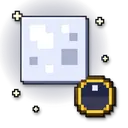
Make it night
Fun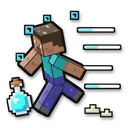
Speed boost
Helps you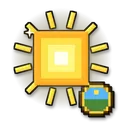
Make it day
Fun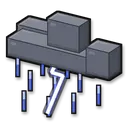
Thunderstorm
Fun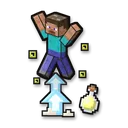
Super jump
Helps you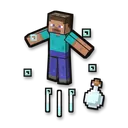
Launch into the air
Makes it harder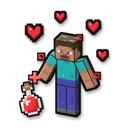
Heal the player
Helps you
No command matches. Try another word.
Ready in 4 steps
No code, no files to copy: CheerQuake does it for you.
- 1
Install CheerQuake
Free to start, for Windows 10 and 11.
- 2
Open Games → Minecraft
CheerQuake sets up your own server for you.
- 3
Install Ladder
One click, then Start in the game’s panel.
- 4
Load its preset and go LIVE
A ready-made gift list from a Rose to a Lion.
Good to know
- Java Edition, on a server on your own PC: CheerQuake downloads Paper and Java for you.
- Each mini-game works from Minecraft 1.12 to the newest version.
- Arena mini-games save your items and place before they start and give them back at the end.
What you need
- System
- Windows 10 or 11 (64-bit)
- Game
- Minecraft: Java Edition (1.12 to the newest)
- App
- CheerQuake (free to start)
- LIVE
- TikTok LIVE Studio (LIVE access), Twitch, Kick or YouTube