
Your viewers play Legend Tower with you
Build a tower floor by floor: a crane swings each floor over the top and you drop it at the right moment. Your viewers help with perfect floors carrying their name, a sky-crane helicopter, braces, hearts and a shield, or hurt with wind, a crazy crane, lightning, a bomb, an earthquake, a UFO, a meteor and a dragon.
✓ Ready-made preset: Rose to Lion
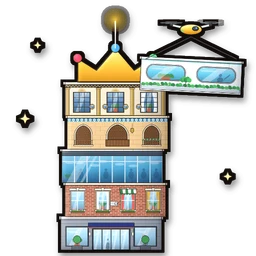
How a gift reaches Legend Tower
From a viewer’s phone to your game in about a second, with the viewer’s name on it.
- Your LIVETikTok LIVE, Twitch, Kick or YouTube
- CheerQuakeOn your PC: it reads the gift and runs your action
- CheerQuake’s own gameComes with CheerQuake, in its own window
- Legend TowerIt happens on your screen
Everything your viewers can do
15 commands, each with its own hand-drawn picture. Put any of them on any gift, follow, like or chat command.
Showing 15 of 15
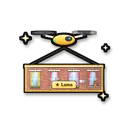
Perfect floor
A builder drone sets a perfect floor on top of the tower, with your name on it.
Helps you
Steel braces
Steel cables brace the tower: it stops swaying for a while.
Helps you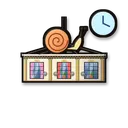
Slow crane
The crane swings slowly for a while: easy drops.
Helps you
Heart
One more heart (5 at most).
Helps you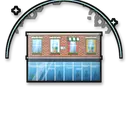
Shield
A dome of light over the top of the tower blocks the next hits.
Helps you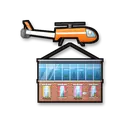
Sky crane
A sky-crane helicopter brings a stack of perfect floors and sets them on the tower.
Helps you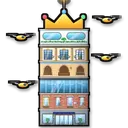
Sky fleet
A fleet of drones finishes the tower in seconds: a win!
Helps you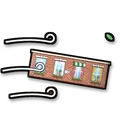
Gust of wind
A strong gust sways the tower and the hanging floor.
Makes it harder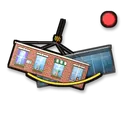
Crazy crane
The crane swings much faster for a while.
Makes it harder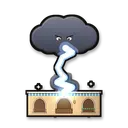
Lightning
A storm cloud strikes the top of the tower with lightning.
Makes it harder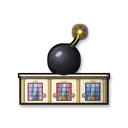
Bomb
A bomb lands on top of the tower and blows floors away.
Makes it harder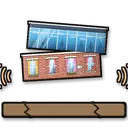
Earthquake
The ground shakes: floors that stick out too far fall off.
Makes it harder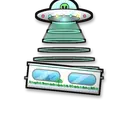
UFO
A UFO beams floors up and flies away with them.
Makes it harder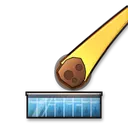
Meteor
A flaming meteor smashes into the top of the tower.
Makes it harder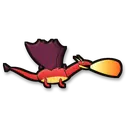
Dragon
The dragon circles the tower, breathes fire and knocks floors off with its tail.
Makes it harder
No command matches. Try another word.
Ready in 4 steps
No code, no files to copy: CheerQuake does it for you.
- 1
Install CheerQuake
Free to start, for Windows 10 and 11.
- 2
Open Games → Legend Tower
Press Open the game: nothing to install.
- 3
Add its window to your LIVE
TikTok LIVE Studio or OBS: a window capture of the game.
- 4
Load the preset and go LIVE
A ready-made gift list from a Rose to a Lion: perfect floors and a helicopter help, a UFO, a meteor and a dragon knock floors down.
Good to know
- CheerQuake’s own game: every floor, every visitor and every sound is CheerQuake’s, in Arabic and English.
- It runs in its own window, tall like TikTok LIVE; any size works, up to 1080 × 1920.
- Finishing the tower counts a win and losing all hearts a loss, also on the Win goal.
What you need
- System
- Windows 10 or 11 (64-bit)
- Game
- Nothing else: the game comes with CheerQuake
- App
- CheerQuake (free to start)
- LIVE
- TikTok LIVE Studio (LIVE access), Twitch, Kick or YouTube
Questions about Legend Tower
Is it free?
CheerQuake is free to start, and Legend Tower comes with it.
Do I play it myself?
Yes: you drop each floor with Space, a click or a tap (or turn on Auto-build and just host), and your viewers’ gifts help build the tower or knock it down.
Who sees the viewers’ names?
Everyone on your LIVE: every gift shows its viewer’s name and picture, and a helper’s perfect floor carries their name on the tower, in Arabic or any other letters.
Can I choose what each gift does?
Yes. Any command can go on any gift, follow, share, like or chat command. The ready-made preset is just a start.
Does it work with Twitch, Kick and YouTube?
Yes. CheerQuake counts Bits, Kicks and Super Chats like TikTok coins (1 Bit or 1 Kick = 1 coin, a $1 Super Chat = 100 coins), so the same actions run for all of them, at the same time.
More games
-
New
Legend Race
Our own 3D race: every viewer gets an animal, gifts bring a UFO and a dragon
32 commands -
New
Hill Battle
Our own game: gifts send vehicles that push a car to WIN or off a cliff
16 commands -
New
Club Clash
Our own football game: 150+ teams push a giant ball
17 commands -

Euro Truck Simulator 2
Horns, brake checks and camera chaos on the road
32 commands