
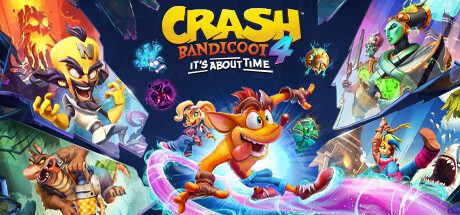
Your viewers play Crash Bandicoot 4: It’s About Time with you
Wumpa Fruit, fast or slow running, infinite jumps, moon or heavy gravity, big, small or invisible Crash, slow-motion or fast-forward Crash, enemies and world, and camera tricks.
✓ Ready-made preset: Rose to Lion

How a gift reaches Crash Bandicoot 4: It’s About Time
From a viewer’s phone to your game in about a second, with the viewer’s name on it.
- Your LIVETikTok LIVE, Twitch, Kick or YouTube
- CheerQuakeOn your PC: it reads the gift and runs your action
- A bridge beside the gameInstalled by CheerQuake in one click
- Crash Bandicoot 4: It’s About TimeIt happens on your screen
Everything your viewers can do
26 commands, each with its own hand-drawn picture. Put any of them on any gift, follow, like or chat command.
Showing 26 of 26
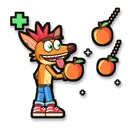
Give Wumpa Fruit
Wumpa Fruit straight onto Crash’s counter.
Helps you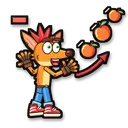
Take Wumpa Fruit
Wumpa Fruit gone from Crash’s counter (never below 0).
Makes it harder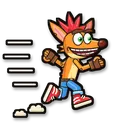
Fast runner
Crash runs almost twice as fast for a while.
Helps you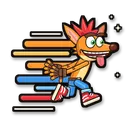
Super speed
Crash runs at three times his speed for a while: good luck steering!
Fun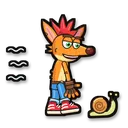
Slow runner
Crash runs at half speed for a while.
Makes it harder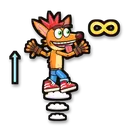
Infinite jumps
Crash can jump again and again in the air for a while.
Helps you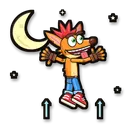
Moon gravity
Low gravity: Crash floats and jumps twice as high for a while.
Fun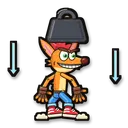
Heavy gravity
Heavy gravity: Crash’s jumps are much lower for a while.
Makes it harder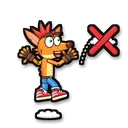
No double jump
Crash can only jump once (no jump in the air) for a while.
Makes it harder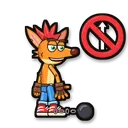
No jumping
Crash can’t jump at all for a few seconds.
Makes it harder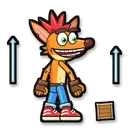
Big Crash
Crash grows to over twice his size for a while.
Fun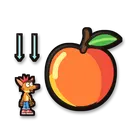
Small Crash
Crash shrinks to less than half his size for a while.
Fun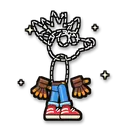
Invisible Crash
Crash disappears for a few seconds: jump where you think he is!
Makes it harder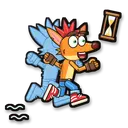
Slow-motion Crash
Crash moves in slow motion for a while; the world doesn’t.
Makes it harder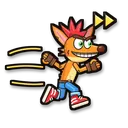
Fast-forward Crash
Crash moves in fast-forward for a while; the world doesn’t.
Fun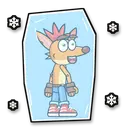
Freeze Crash
Crash stands frozen for a few seconds.
Makes it harder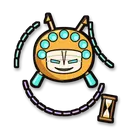
Slow-motion world
The whole game runs in slow motion for a while.
Helps you
Fast-forward world
The whole game runs faster for a while.
Makes it harder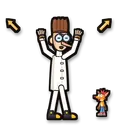
Giant enemies
Every enemy of the level grows huge for a while.
Fun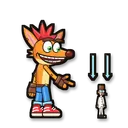
Tiny enemies
Every enemy of the level shrinks for a while.
Fun
Slow enemies
Every enemy of the level moves in slow motion for a while.
Helps you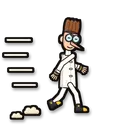
Fast enemies
Every enemy of the level moves much faster for a while.
Makes it harder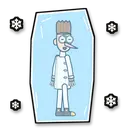
Freeze enemies
Every enemy of the level stands frozen for a while.
Helps you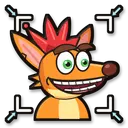
Zoom in
The camera zooms in close for a while.
Fun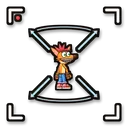
Zoom out
The camera opens wide for a while.
Fun
Dizzy camera
The view keeps swelling and shrinking, like being dizzy.
Fun
No command matches. Try another word.
Ready in 4 steps
No code, no files to copy: CheerQuake does it for you.
- 1
Install CheerQuake
Free to start, for Windows 10 and 11.
- 2
Open Games → Crash Bandicoot 4: It’s About Time
Choose your game folder once.
- 3
Install mod
One click. Everything the mod needs comes with CheerQuake.
- 4
Load the preset and go LIVE
A ready-made gift list from a Rose to a Lion. Change any gift you like.
Good to know
- A small CheerQuake bridge runs beside the game while you play.
- No game file is replaced: Remove mod, right next to Install mod, takes away everything CheerQuake added.
- Everything the mod needs comes with CheerQuake: you download nothing else.
- Effects end by themselves when their time is up.
What you need
- System
- Windows 10 or 11 (64-bit)
- Game
- Crash Bandicoot 4: It’s About Time on PC
- App
- CheerQuake (free to start)
- LIVE
- TikTok LIVE Studio (LIVE access), Twitch, Kick or YouTube
Questions about Crash Bandicoot 4: It’s About Time
Is it free?
CheerQuake is free to start, and the mod for Crash Bandicoot 4: It’s About Time comes with it.
Will it change my game or my saves?
No game file is replaced. Remove mod takes away exactly what CheerQuake added, and effects end by themselves.
Can I choose what each gift does?
Yes. Any command can go on any gift, follow, share, like or chat command. The ready-made preset is just a start.
Does it work with Twitch, Kick and YouTube?
Yes. CheerQuake counts Bits, Kicks and Super Chats like TikTok coins (1 Bit or 1 Kick = 1 coin, a $1 Super Chat = 100 coins), so the same actions run for all of them, at the same time.
More games
-
New
Legend Climb
Our own game: a phoenix, dragons and a sky whale on your gifts
33 commands -

Hollow Knight
Enemies, bindings and a flipped camera
171 commands -
Hollow Knight: Silksong
Enemies, rosaries and silk for Hornet
84 commands -
New
Crash Bandicoot N. Sane Trilogy
Wumpa fruit, crates, speed and size
15 commands